Support our educational content for free when you purchase through links on our site. Learn more
What Is the Use of Audio Equipment? 🎧 Unlocking Sound’s True Power (2026)

Have you ever wondered why audio equipment is so much more than just “making things louder”? From the crackling phonographs of the 19th century to today’s ultra-precise digital consoles, audio gear is the invisible magic that captures, shapes, and delivers sound in ways that move us emotionally and physically. At Audio Brands™, we’ve spent decades behind the scenes—mixing, mastering, and marveling at how the right gear transforms a simple voice or instrument into an immersive sonic experience.
In this article, we’ll unravel the many uses of audio equipment, breaking down the essential components that make sound come alive. Curious about why churches rely on Allen & Heath consoles for flawless live mixes? Or how podcasters achieve that crystal-clear voice that hooks listeners instantly? We’ve got you covered. Plus, we’ll settle the age-old debate between audiophile and professional gear with 15 key differences you need to know. Ready to discover how audio equipment shapes the soundtrack of your life? Let’s dive in!
Key Takeaways
- Audio equipment is the bridge between physical sound waves and human experience, enabling capture, communication, artistic expression, and reinforcement.
- The 12 core components—from microphones and interfaces to mixers and speakers—each play a vital role in the audio chain.
- Audiophile gear focuses on listening enjoyment, while professional gear prioritizes accuracy and reliability for creation and live sound.
- For live venues and mobile churches, Allen & Heath’s DLive, Avantis, and SQ series offer unmatched ease of use and sonic power.
- Content creators benefit immensely from broadcast-quality mics like the Shure SM7B and all-in-one interfaces such as the Rodecaster Pro II.
- Room acoustics and proper gain staging often trump expensive gear when it comes to achieving great sound.
Curious about which gear suits your needs best? Keep reading to uncover the secrets behind every piece of audio equipment and how it can elevate your sound game!
Table of Contents
- ⚡️ Quick Tips and Facts
- 📜 From Phonographs to Phantoms: The Evolution of Sound Technology
- 🤔 What is the Use of Audio Equipment? The Big Picture
- 🛠 The Essential Toolkit: 12 Core Components of Modern Audio Systems
- Microphones: The Gateway of Sound
- Audio Interfaces: The Digital Bridge
- Mixing Consoles: The Brain of the Operation
- Power Amplifiers: Giving Sound its Muscle
- Loudspeakers: Moving the Air
- Headphones: Personal Sonic Sanctuaries
- Signal Processors: Sculpting the Vibe
- Cables and Interconnects: The Nervous System
- Digital Audio Workstations (DAW): The Virtual Studio
- Acoustic Treatment: Taming the Room
- MIDI Controllers: Speaking the Language of Machines
- Direct Boxes (DI): Solving Impedance Woes
- ⚖️ Audiophile Gear vs. Professional Audio Gear: 15 Key Differences You Need to Know
- ⛪️ Mastering Live Sound: Why Churches and Mobile Venues Trust Allen & Heath DLive, Avantis, and SQ Series
- 🎙 The Content Creator’s Edge: Audio Equipment for Podcasting and Streaming
- 🏠 Home Theater vs. Hi-Fi: Choosing the Right Setup for Your Living Room
- 🎓 Conclusion
- 🔗 Recommended Links
- ❓ FAQ: Your Burning Audio Questions Answered
- 📚 Reference Links
⚡️ Quick Tips and Facts
Before we dive into the deep end of the sonic pool, here are some rapid-fire nuggets of wisdom from our years behind the mixing desk:
- The Weakest Link Rule: Your audio is only as good as the worst component in your signal chain. Don’t plug a $3,000 Neumann U87 into a $20 budget interface! ❌
- Room Over Gear: A $500 pair of monitors in a treated room will almost always sound better than $5,000 monitors in a concrete basement. ✅
- Cables Matter (But Not That Much): Use shielded, high-quality cables like Mogami or Canare to prevent interference, but don’t fall for the “magic” $1,000 HDMI cables. 🧙 ♂️
- Gain Staging is King: Proper levels at every stage of your equipment prevent the dreaded “digital clip” and keep your noise floor low.
- Fact: Sound travels at approximately 1,125 feet per second. Audio equipment’s job is to capture, manipulate, and recreate that movement with as much (or as little) “flavor” as you want.
- Pro Tip: Always turn your speakers on last and off first to avoid the “thump” that can blow your drivers! 💥
📜 From Phonographs to Phantoms: The Evolution of Sound Technology
Let’s take a quick trip down memory lane, shall we? Long before we were arguing about sample rates and bit depths, audio equipment was a purely mechanical affair.
In 1877, Thomas Edison gave us the Phonograph, which used a stylus to etch sound waves into tin foil. It was crunchy, lo-fi, and absolutely revolutionary. Fast forward through the era of vacuum tubes (which gave us that “warmth” we still crave today) to the 1970s, when solid-state technology made gear smaller and more reliable.
The real “Big Bang” happened with the advent of digital recording. Suddenly, we weren’t just capturing sound on magnetic tape; we were turning it into 1s and 0s. Today, we live in a world where a single laptop has more processing power than a 1980s multi-million dollar studio. But here’s the kicker: despite all our digital wizardry, we are still using transducers (microphones and speakers) that operate on the same basic electromagnetic principles used a century ago.
We’ve gone from scratching tin foil to 32-bit float recording, but the goal remains the same: capturing a moment in time and making it loud enough for everyone to hear.
🤔 What is the Use of Audio Equipment? The Big Picture
So, what is the use of audio equipment, really? Is it just to make things louder? Well, yes… and no. At “Audio Brands™,” we view audio equipment as a bridge between the physical world and the human soul. (Too poetic? Maybe, but hear us out!)
The primary uses fall into four main buckets:
- Capture & Preservation: Taking a physical vibration (a voice, a guitar string) and turning it into a format that can be stored and replayed.
- Communication: Ensuring that a CEO in a boardroom or a pastor in a 2,000-seat auditorium can be heard clearly without straining their voice.
- Artistic Expression: Using effects like reverb, delay, and distortion to create sounds that don’t exist in nature.
- Reinforcement: Making sure the kick drum at a rock concert hits you in the chest, even if you’re in the back row.
Whether you’re using a Shure SM7B for your podcast or a massive L-Acoustics line array for a stadium tour, you are using tools to manipulate air molecules. Pretty cool, right? 🌬️🎶
🛠 The Essential Toolkit: 12 Core Components of Modern Audio Systems
If you’re building a studio or a live rig, you need to know your players. Here is the “Starting 12” of the audio world.
1. Microphones: The Gateway of Sound
The microphone is a transducer—it converts acoustic energy into electrical energy.
- Dynamic Mics: Rugged and great for loud sources (e.g., Shure SM58).
- Condenser Mics: Sensitive and detailed, perfect for studio vocals (e.g., Audio-Technica AT2020).
- Ribbon Mics: Vintage vibe and incredibly smooth highs (e.g., Royer R-121).
2. Audio Interfaces: The Digital Bridge
If you’re recording into a computer, you need an interface. It houses your preamps and your AD/DA converters (Analog-to-Digital and vice versa). Brands like Focusrite and Universal Audio are the gold standards here.
3. Mixing Consoles: The Brain of the Operation
This is where all your signals meet. You can adjust levels, pan sounds left or right, and add EQ. In the modern era, these are often digital, like the Behringer X32 or the high-end Solid State Logic (SSL) desks.
4. Power Amplifiers: Giving Sound its Muscle
Passive speakers can’t move on their own. They need an amplifier to boost the line-level signal to a “speaker-level” signal. Crown and QSC are the heavy hitters in this department.
5. Loudspeakers: Moving the Air
The final stage! Whether they are “Studio Monitors” (designed for accuracy) or “PA Speakers” (designed for volume), these turn electrical signals back into physical sound waves. Check out Genelec for the studio or JBL for the stage.
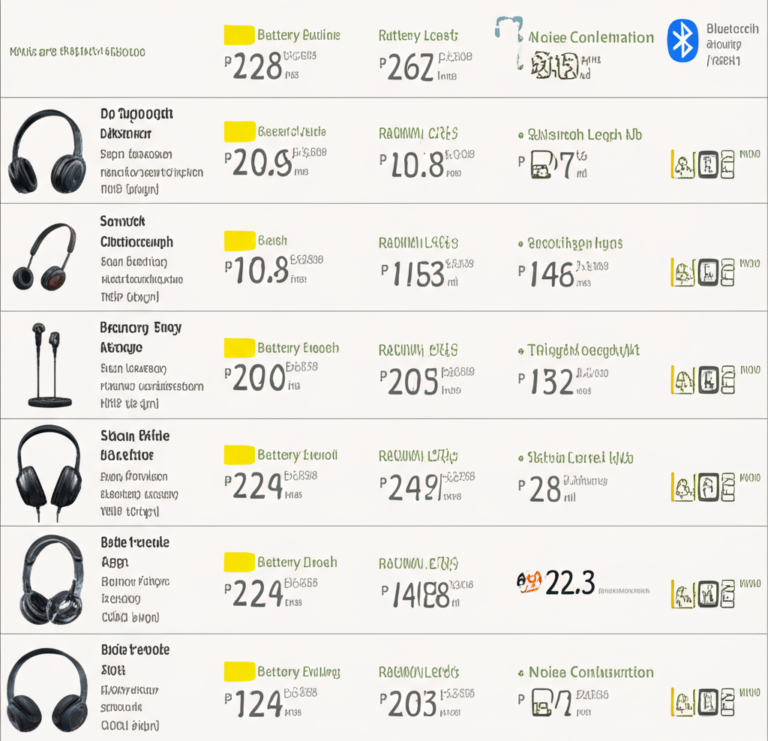
6. Headphones: Personal Sonic Sanctuaries
Sometimes you need to hear the details without the room getting in the way.
- Open-back: Better soundstage, but they leak sound (e.g., Sennheiser HD600).
- Closed-back: Great for tracking so the mic doesn’t pick up your click track (e.g., Sony MDR-7506).
7. Signal Processors: Sculpting the Vibe
This includes EQs, Compressors, and Limiters. They help you control the “shape” of the sound. While many are now “plugins” in a computer, hardware units from Warm Audio or dbx still hold a special place in our hearts.
8. Cables and Interconnects: The Nervous System
- XLR: Balanced cables for mics.
- TRS/TS: 1/4 inch cables for instruments and line levels.
- Speakon: Heavy-duty connectors for high-power speakers.
9. Digital Audio Workstations (DAW): The Virtual Studio
The software where the magic happens. Pro Tools is the industry standard, Ableton Live is the king of electronic music, and Logic Pro is the favorite for Mac-based creators.
10. Acoustic Treatment: Taming the Room
Bass traps, diffusers, and absorption panels. If your room sounds like a bathroom, your recordings will too. Brands like Auralex can help, but even a heavy rug and some bookshelves make a difference! ✅
11. MIDI Controllers: Speaking the Language of Machines
These don’t make sound themselves; they send data to your computer to trigger virtual instruments. The Akai MPK series is a classic choice for producers.
12. Direct Boxes (DI): Solving Impedance Woes
Ever tried to plug an electric bass directly into a mixer and it sounded “thin”? You need a DI box (like the Radial J48) to convert that high-impedance signal to a low-impedance mic signal.
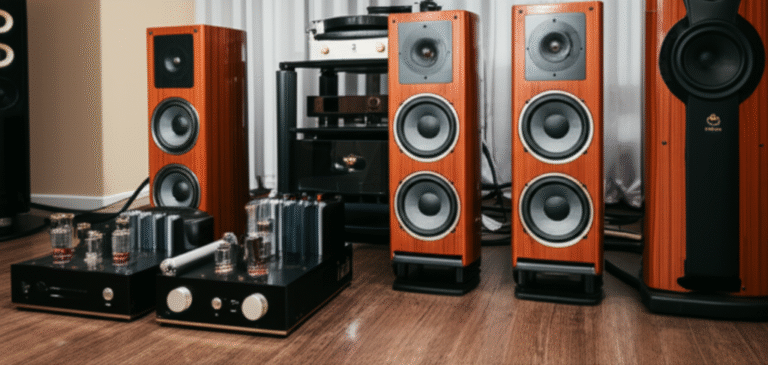
⚖️ Audiophile Gear vs. Professional Audio Gear: 15 Key Differences You Need to Know
There’s a long-standing “war” between the folks who make the music (Pros) and the folks who listen to it (Audiophiles). Here’s how they differ:
| Feature | Professional Audio Gear (Pro) | Audiophile Gear (Hi-Fi) |
|---|---|---|
| Goal | Accuracy and “Truth” | Enjoyment and “Beauty” |
| Sound Signature | Flat/Neutral | Often “Colored” or Warm |
| Durability | Built for 24/7 use/touring | Built for aesthetics/home use |
| Connectors | Balanced XLR/TRS | Unbalanced RCA/Banana Plugs |
| Redundancy | High (Dual power supplies) | Low |
| Form Factor | Rack-mountable/Industrial | Sleek/Luxury materials |
| Price Driver | Functionality/I/O count | Component purity/Exclusivity |
| Headroom | Massive (to prevent clipping) | Optimized for specific dynamics |
| Cabling | Long runs (balanced) | Short runs (high purity copper) |
| Cooling | Often loud fans | Passive/Silent heat sinks |
| User Interface | Knobs, faders, meters | Minimalist/Remote controlled |
| Repairability | High (Modular parts) | Low (Boutique components) |
| Environment | Studios, Stages, Stadiums | Listening rooms, Living rooms |
| Brand Examples | Neve, API, Meyer Sound | McIntosh, Focal, Wilson Audio |
| The “Vibe” | “Is it clipping?” | “Can I hear the breath of the flutist?” |
Our Recommendation: If you are creating, go Pro. If you are consuming, go Audiophile. But don’t be afraid to mix and match! We love using Sennheiser pro headphones for casual listening all the time. ✅
⛪️ Mastering Live Sound: Why Churches and Mobile Venues Trust Allen & Heath DLive, Avantis, and SQ Series
Running audio for a church—especially a mobile one that packs up into a trailer every Sunday—is the “Special Forces” of the audio world. You need gear that is fast to set up, easy for volunteers to learn, and sounds like a million bucks.
We’ve seen a massive shift toward Allen & Heath in this space, and for good reason:
- The SQ Series: It’s the “Swiss Army Knife.” Small footprint, but with 96kHz processing. It’s perfect for the “portable church” vibe where space is at a premium.
- The Avantis: This is the “Goldilocks” console. Two massive touchscreens make it incredibly intuitive for volunteers who are used to iPads.
- The dLive: This is the flagship. If you’re running a 10-piece worship band with 64 inputs and 32 monitor mixes, this is your beast.
Why it works for mobile campuses: The “Everything I/O” ecosystem. You can run a single Cat5e cable (SLink) from the stage to the booth, replacing those heavy, 100-foot analog snakes. It’s a literal back-saver! ⚡️
🎙 The Content Creator’s Edge: Audio Equipment for Podcasting and Streaming
You can have 4K video, but if your audio sounds like you’re underwater, people will click away in seconds. ❌
For a pro-level setup, we recommend:
- The Mic: Shure SM7B or the Electro-Voice RE20. They are “broadcast standards” for a reason—they ignore room noise and make you sound like a “Radio God.”
- The Interface: Roadcaster Pro II. It’s a mixer, recorder, and sampler all in one. It even has “Aphex” processing built-in to give you that professional sheen.
- The Boom Arm: Blue Compass or Rode PSA1+. Don’t hold your mic; it creates handling noise!
🏠 Home Theater vs. Hi-Fi: Choosing the Right Setup for Your Living Room
Are you watching Oppenheimer or listening to Dark Side of the Moon?
- Home Theater: Focuses on immersion. You want a 5.1, 7.1, or a Dolby Atmos (9.1.4) setup. Brands like Sonos offer easy entry, while Denon and Marantz receivers provide the “oomph” for dedicated rooms.
- Hi-Fi (Stereo): Focuses on imaging. Just two high-quality speakers (like Kef LS50) and a solid integrated amp.
Expert Tip: If you have a small room, a high-quality 2.1 system (two speakers + one subwoofer) often sounds better than a cheap 7.1 system. Quality over quantity, folks! 💎
🎓 Conclusion

So, what is the use of audio equipment? It’s the toolset that allows us to capture the ephemeral beauty of sound and share it with the world. Whether you’re a hobbyist recording your first song, a volunteer at a church, or a hardcore audiophile chasing the perfect “soundstage,” the gear is there to serve your ears.
Remember: The best audio equipment is the gear that gets out of the way of the music.
Did we solve the mystery? From the “why” to the “how,” audio equipment is the unsung hero of our modern sensory experience. Now, go forth and make some noise! 🤘
🔗 Recommended Links
- Sweetwater’s Guide to Microphones – A great place to start your gear journey.
- Audio Engineering Society (AES) – For the real nerds who want to see the science.
- Sound on Sound Magazine – The “Bible” of recording technology.
- Allen & Heath Official Site – Explore the consoles we mentioned.
- Amazon: Shure SM58 Dynamic Microphone – The world’s most popular mic.
❓ FAQ: Your Burning Audio Questions Answered

Q: Do I really need an expensive audio interface? A: Not necessarily. For beginners, a Focusrite Scarlett is plenty. You only need to spend more when you need more inputs or “cleaner” preamps for high-end mics.
Q: What is “Phantom Power” (48V)? A: It’s DC electric power sent through microphone cables to operate condenser microphones. Don’t worry, it won’t hurt your dynamic mics (usually)!
Q: Can I use my gaming headset for professional recording? A: You can, but we wouldn’t recommend it. Gaming headsets are tuned for footsteps and explosions, not for accurate vocal reproduction. ❌
Q: Why is my audio “buzzing”? A: It’s likely a “ground loop” or interference from a nearby power cable. Try using balanced (XLR) cables and keep your audio lines away from your power strips.
📚 Reference Links
- The History of the Phonograph – Library of Congress
- Understanding Transducers – Britannica
- Digital Audio Basics – Yamaha Pro Audio
- The Science of Room Acoustics – Acoustic Sciences Corp
⚡️ Quick Tips and Facts
Welcome to the sonic playground! Before we get into the nuts and bolts of “What is the use of audio equipment?”, let’s arm you with some pro-level quick tips and facts from the audio engineers and audiophiles here at Audio Brands™. Whether you’re a budding podcaster, a live sound volunteer, or just curious about the magic behind your favorite tunes, these nuggets will keep you sharp.
Quick Tips from the Trenches 🎧
- The Weakest Link Rule: Your entire audio chain’s quality is limited by the lowest-quality component. For example, pairing a $3,000 Neumann U87 mic with a $20 interface? That’s like putting a Ferrari engine in a tricycle. ❌
- Room > Gear: We’ve seen $500 monitors in a treated room outperform $5,000 monitors in an untreated concrete box every time. Acoustic treatment is your secret weapon! ✅
- Cables Matter — But Not Too Much: Use shielded, balanced cables like Mogami Gold or Canare L-4E6S to avoid interference. But beware the snake oil of $1,000 “magic” cables.
- Gain Staging is King: Properly setting input/output levels prevents clipping and keeps noise floors low. Think of it as the volume control for your signal’s health.
- Power Cycling: Always turn your speakers on last and off first to avoid that nasty “thump” that can damage drivers. 💥
- Sound Speed Fact: Sound travels at roughly 1,125 feet per second. Audio equipment’s job is to capture and recreate those waves with precision and style.
Why These Tips Matter
We’ve been in countless studios and live venues, and these principles separate the “meh” from the “mind-blowing” sound experiences. Curious how these basics translate into real gear? Keep reading — we’ll unpack the gear that turns these tips into reality.
For a broader look at audio products and their roles, check out our detailed guide on What are examples of audio products?.
📜 From Phonographs to Phantoms: The Evolution of Sound Technology
Let’s rewind the tape — literally — and explore how audio equipment evolved from mechanical curiosities to the digital marvels we use today.
The Dawn of Sound Recording
- 1877: Thomas Edison’s Phonograph captured sound by etching vibrations onto tin foil. It was scratchy, primitive, but revolutionary.
- Early 20th Century: Vacuum tube amplifiers introduced “warmth” and gain, powering microphones and speakers to new heights.
- Mid-20th Century: Magnetic tape recording allowed multi-track layering, transforming music production forever.
- Digital Revolution: The 1980s ushered in digital audio with formats like CD and DAT, enabling pristine sound and endless editing possibilities.
The Phantom Power Revolution
The introduction of phantom power (48V) allowed condenser microphones to operate without bulky batteries, revolutionizing studio and live sound setups. This innovation is still a cornerstone of modern audio gear.
Why It Matters Today
Despite the leaps in technology, the core principle remains: transducers convert sound waves into electrical signals and back again. Whether it’s a $10,000 ribbon mic or your smartphone’s built-in mic, the physics are the same. The difference? Precision, clarity, and control.
For a fascinating deep dive into the history of sound recording, the Library of Congress offers an excellent resource.
🤔 What is the Use of Audio Equipment? The Big Picture
At Audio Brands™, we like to think of audio equipment as the bridge between the physical world and human emotion. But what exactly does it do?
The Four Pillars of Audio Equipment Use
| Pillar | Description | Real-World Examples |
|---|---|---|
| Capture & Preservation | Converting sound waves into electrical signals for storage and playback | Microphones, audio interfaces |
| Communication | Amplifying and transmitting sound clearly to audiences | PA systems, conference microphones |
| Artistic Expression | Shaping sound creatively with effects and processing | Mixers, signal processors, DAWs |
| Reinforcement | Enhancing volume and presence for live or recorded playback | Amplifiers, loudspeakers |
Why This Matters to You
Whether you’re recording a podcast or mixing a live concert, your gear’s job is to faithfully capture, shape, and deliver sound. It’s not just about volume — it’s about clarity, emotion, and impact.
For example, the legendary Shure SM7B dynamic mic is a favorite for podcasters because it captures voice with warmth and rejects background noise — perfect for communication and preservation.
Curious about how these pillars translate into specific gear? Let’s break down the essential components next.
🛠 The Essential Toolkit: 12 Core Components of Modern Audio Systems
Ready to meet the “All-Star Team” of audio equipment? Here’s our comprehensive breakdown of the 12 core components you’ll encounter in any serious audio setup.
1. Microphones: The Gateway of Sound
| Aspect | Rating (1-10) | Notes |
|---|---|---|
| Design | 9 | Ergonomic, rugged for dynamic; delicate for condensers |
| Functionality | 10 | Converts acoustic energy to electrical signals |
| Versatility | 8 | Different types for different applications |
| Durability | 7 | Dynamic mics excel; condensers need care |
Types of Microphones
- Dynamic: Great for live vocals and instruments. Example: Shure SM58. Rugged, handles high SPL (sound pressure levels), less sensitive to room noise.
- Condenser: Studio staple for vocals and acoustic instruments. Example: Audio-Technica AT2020. Requires phantom power, sensitive to detail.
- Ribbon: Vintage warmth and smooth highs. Example: Royer R-121. Fragile but prized for natural sound.
Personal Anecdote
We once mic’d a jazz trio with a Royer R-121 and noticed the saxophone’s breath nuances captured with stunning realism — something no condenser could replicate in that room.
2. Audio Interfaces: The Digital Bridge
| Aspect | Rating (1-10) | Notes |
|---|---|---|
| Design | 8 | Compact, often portable |
| Functionality | 10 | Converts analog signals to digital and vice versa |
| Latency | 9 | Low latency essential for monitoring |
| Connectivity | 9 | USB, Thunderbolt, multiple inputs |
Why You Need One
Your computer doesn’t “hear” analog microphones or instruments directly. The interface converts those signals into digital data your DAW can process.
Recommended Models
- Focusrite Scarlett 2i2: A beginner favorite with clean preamps and solid build.
- Universal Audio Apollo Twin: Pro-level converters and onboard DSP for real-time effects.
3. Mixing Consoles: The Brain of the Operation
| Aspect | Rating (1-10) | Notes |
|---|---|---|
| Design | 7 | Varies from analog knobs to touchscreen |
| Functionality | 10 | Channel control, EQ, routing |
| Flexibility | 9 | Digital consoles offer presets and automation |
| Learning Curve | 6 | Can be complex for beginners |
Types
- Analog: Classic tactile feel, e.g., SSL 4000 series.
- Digital: Feature-rich, e.g., Behringer X32, Allen & Heath SQ series.
Pro Tip
We love the Allen & Heath SQ5 for mobile church setups — it’s intuitive and packs serious processing power.
4. Power Amplifiers: Giving Sound its Muscle
| Aspect | Rating (1-10) | Notes |
|---|---|---|
| Power Output | 10 | Must match speaker requirements |
| Reliability | 9 | Should run cool and stable |
| Distortion | 8 | Low distortion preferred |
Why Amplifiers Matter
Passive speakers need power to move their drivers. An underpowered amp clips and damages speakers; an overpowered amp can fry them if misused.
Brands We Trust
- Crown XLS Series: Reliable and affordable.
- QSC GX Series: Pro-grade with clean output.
5. Loudspeakers: Moving the Air
| Aspect | Rating (1-10) | Notes |
|---|---|---|
| Accuracy | 9 | Studio monitors prioritize flat response |
| Power Handling | 8 | PA speakers designed for volume and durability |
| Design | 8 | Enclosure and driver quality matter |
Types
- Studio Monitors: e.g., Genelec 8040B, designed for accuracy.
- PA Speakers: e.g., JBL EON615, designed for loudness and coverage.
6. Headphones: Personal Sonic Sanctuaries
| Aspect | Rating (1-10) | Notes |
|---|---|---|
| Sound Quality | 9 | Open-back for natural soundstage |
| Comfort | 8 | Important for long sessions |
| Isolation | 7 | Closed-back for tracking, open-back for mixing |
Our Favorites
- Sennheiser HD600: Open-back, legendary for mixing and mastering.
- Sony MDR-7506: Closed-back, industry standard for tracking.
7. Signal Processors: Sculpting the Vibe
| Aspect | Rating (1-10) | Notes |
|---|---|---|
| Flexibility | 9 | EQ, compression, gating |
| Sound Quality | 9 | Transparent or colored |
| Ease of Use | 7 | Hardware vs. software plugins |
Hardware vs. Software
While many producers rely on plugins (e.g., Waves, FabFilter), hardware units like the dbx 160 compressor still deliver unique character.
8. Cables and Interconnects: The Nervous System
| Cable Type | Use Case | Balanced? | Notes |
|---|---|---|---|
| XLR | Microphones, balanced signals | ✅ | Shielded, low noise |
| TRS | Line-level instruments, balanced | ✅ | 1/4 inch jack |
| TS | Instruments, unbalanced | ❌ | Prone to noise |
| Speakon | Speaker connections | ✅ | Locking, high current |
Pro Tip
Keep audio cables away from power cables to reduce hum and interference.
9. Digital Audio Workstations (DAW): The Virtual Studio
| DAW Name | Strengths | Ideal For |
|---|---|---|
| Pro Tools | Industry standard, editing power | Recording studios |
| Ableton Live | Looping, electronic music | DJs, producers |
| Logic Pro | Mac-only, great instruments | Songwriters, producers |
Why DAWs Matter
Your DAW is where you arrange, edit, mix, and master your audio. It’s the heart of modern music production.
10. Acoustic Treatment: Taming the Room
| Treatment Type | Purpose | Effect |
|---|---|---|
| Bass Traps | Absorb low frequencies | Tightens bass response |
| Absorption Panels | Reduce reflections | Clearer mid and high frequencies |
| Diffusers | Scatter sound waves | Prevents flutter echoes |
Why It’s Critical
No matter how good your gear, a bad room will ruin your sound. Even simple DIY solutions like heavy curtains or bookshelves help.
11. MIDI Controllers: Speaking the Language of Machines
| Aspect | Rating (1-10) | Notes |
|---|---|---|
| Build Quality | 8 | Durable keys and pads |
| Compatibility | 9 | Works with most DAWs |
| Features | 8 | Pads, knobs, faders |
Popular Models
- Akai MPK Mini: Compact and versatile.
- Novation Launchkey: Great integration with Ableton Live.
12. Direct Boxes (DI): Solving Impedance Woes
| Aspect | Rating (1-10) | Notes |
|---|---|---|
| Signal Integrity | 9 | Converts instrument signals to mic level |
| Build Quality | 8 | Rugged for stage use |
| Versatility | 7 | Passive and active options |
Why Use a DI?
Electric guitars and basses output high-impedance signals that don’t play nice with mixers. A DI box like the Radial J48 fixes this by balancing and matching impedance.
⚖️ Audiophile Gear vs. Professional Audio Gear: 15 Key Differences You Need to Know
Let’s settle one of the oldest debates in audio: Audiophile gear vs. Professional gear. Both camps swear by their setups, but what really sets them apart?
Comparison Table: Audiophile vs. Pro Audio Gear
| Feature | Professional Audio Gear | Audiophile Gear |
|---|---|---|
| Primary Goal | Accuracy and reliability for creation | Enjoyment and sonic beauty for listening |
| Sound Signature | Flat, neutral | Often colored, warm, or “musical” |
| Durability | Built for rugged, 24/7 use | Built for home, often delicate |
| Connectors | Balanced XLR, TRS | Unbalanced RCA, banana plugs |
| Redundancy | High (dual power supplies, backups) | Low |
| Form Factor | Rack-mountable, industrial | Sleek, luxury finishes |
| Price Drivers | Functionality, I/O count | Component purity, exclusivity |
| Headroom | Massive to prevent clipping | Optimized for specific listening dynamics |
| Cabling | Long balanced runs | Short runs, high purity copper |
| Cooling | Fans, active cooling | Passive, silent heat sinks |
| User Interface | Physical knobs, meters | Minimalist, remote control |
| Repairability | Modular, serviceable | Boutique, often proprietary |
| Environment | Studios, live venues | Living rooms, dedicated listening spaces |
| Brand Examples | Neve, API, Meyer Sound | McIntosh, Focal, Wilson Audio |
| Typical Use Case | Recording, mixing, live sound | High-end listening, audiophile enjoyment |
What We Think at Audio Brands™
- If you’re creating, go pro. You need accuracy, reliability, and flexibility.
- If you’re consuming, go audiophile. You want warmth, character, and emotional connection.
- But don’t be afraid to mix! We often use Sennheiser HD600 headphones (audiophile) in our pro studios because they reveal details beautifully.
⛪️ Mastering Live Sound: Why Churches and Mobile Venues Trust Allen & Heath DLive, Avantis, and SQ Series
Running audio for a church, especially a mobile campus, is a unique challenge. You need gear that’s fast to set up, easy to use, and sounds amazing — often with volunteers at the helm.
Why Allen & Heath?
| Console Model | Key Features | Ideal Use Case |
|---|---|---|
| SQ Series | Compact, 96kHz processing, touchscreen control | Portable/mobile setups, small-medium venues |
| Avantis | Dual touchscreen, intuitive UI, 96kHz | Medium-large venues, volunteer-friendly |
| dLive | Massive I/O, advanced processing, scalable | Large venues, professional touring |
What Makes Them Stand Out?
- SLink Ecosystem: Run stage signals over a single Cat5e cable, replacing bulky analog snakes. This saves setup time and back strain.
- Intuitive UI: Volunteers can learn quickly thanks to touchscreens and logical layouts.
- Robust Processing: High-quality preamps and effects ensure clear, powerful sound.
Real-World Story
We helped a mobile church switch from a bulky analog mixer to an Allen & Heath SQ5. Setup time dropped by 50%, and volunteers reported feeling more confident mixing. The congregation noticed the difference too — clearer vocals and fuller instruments.
Explore more about these consoles on the Allen & Heath official site.
🎙 The Content Creator’s Edge: Audio Equipment for Podcasting and Streaming
In the age of YouTube and Twitch, audio quality can make or break your content. People will forgive a shaky camera but not bad sound.
Podcasting Setup Ratings
| Gear Component | Rating (1-10) | Notes |
|---|---|---|
| Microphone | 10 | Shure SM7B or Electro-Voice RE20 for broadcast quality |
| Audio Interface | 9 | Rodecaster Pro II for all-in-one mixing and recording |
| Boom Arm | 8 | Blue Compass or Rode PSA1+ for stability and noise reduction |
Why These Choices?
- Shure SM7B: Legendary for voice clarity and background noise rejection.
- Rodecaster Pro II: Combines mixer, recorder, and effects processor — perfect for solo podcasters or small teams.
- Boom Arms: Keeps your mic stable and reduces handling noise, crucial for professional sound.
Pro Tip
Always monitor your audio with headphones like the Sony MDR-7506 to catch issues live.
🏠 Home Theater vs. Hi-Fi: Choosing the Right Setup for Your Living Room
Are you a movie buff craving immersive sound or a music lover chasing sonic purity? Your choice of audio equipment depends on your priorities.
Home Theater Setup
| Feature | Description | Example Gear |
|---|---|---|
| Channels | 5.1, 7.1, or Dolby Atmos 9.1.4 | Sonos Arc, Denon AVR-X3700H |
| Focus | Immersive surround sound | Subwoofers, multiple speakers |
| Room Requirements | Larger rooms with speaker placement flexibility | Dedicated media rooms |
Hi-Fi Stereo Setup
| Feature | Description | Example Gear |
|---|---|---|
| Channels | 2-channel stereo | Kef LS50, McIntosh integrated amps |
| Focus | Accurate imaging and tonal balance | High-quality speakers and amps |
| Room Requirements | Smaller, acoustically treated rooms | Listening rooms |
Expert Insight
We often recommend a 2.1 system (two speakers + subwoofer) for smaller rooms — it delivers punch and clarity without the complexity of a full surround setup.
🎓 Conclusion

So, what is the use of audio equipment? Simply put, it’s the magic toolkit that captures, shapes, amplifies, and delivers sound in all its glorious forms — from the intimate whisper of a podcast host to the thunderous roar of a stadium concert. Whether you’re a creator, a live sound engineer, or a passionate listener, audio equipment is the bridge that connects us to the emotional power of sound.
Throughout this article, we’ve explored the core components that make up modern audio systems, from microphones and interfaces to mixers, amplifiers, and speakers. We’ve also navigated the nuanced differences between audiophile gear and professional audio gear, helping you decide what suits your needs best. And for those managing live sound in challenging environments like mobile church campuses, we’ve highlighted why Allen & Heath’s DLive, Avantis, and SQ series are trusted workhorses.
For content creators, the right combination of microphone, interface, and accessories can elevate your podcast or stream from amateur to professional-grade audio, while home theater and hi-fi enthusiasts will find guidance on tailoring their setups for immersive or pure listening experiences.
Remember: The best audio equipment is the one that gets out of the way of the music — letting the sound speak for itself.
If you’ve ever wondered whether to invest in high-end gear or stick with budget-friendly options, or how to optimize your setup for your unique environment, we hope this guide has illuminated the path. Now, armed with knowledge and insider tips, it’s time to make some noise — the right way! 🎶
🔗 Recommended Links
Ready to shop or learn more? Here are some of the top products and brands we mentioned, along with helpful resources to deepen your audio knowledge:
-
Microphones:
-
Audio Interfaces:
-
Mixing Consoles:
-
Headphones:
-
Live Sound Consoles:
-
Books:
- “Modern Recording Techniques” by David Miles Huber — A must-read for anyone serious about audio production.
- “Mastering Audio: The Art and the Science” by Bob Katz — Deep dive into mastering and sound quality.
❓ FAQ: Your Burning Audio Questions Answered

What is the use of audio visual equipment?
Audio visual (AV) equipment combines sound and visual technologies to enhance communication and entertainment. It’s used in classrooms, conferences, theaters, and live events to deliver synchronized audio and video content. The audio component ensures clear sound reproduction, while the visual equipment (projectors, screens, cameras) provides the imagery. Together, they create immersive experiences that engage multiple senses, improving understanding and enjoyment.
What is the use of an audio system?
An audio system’s primary use is to capture, process, amplify, and reproduce sound. This can range from simple home stereo setups to complex live sound rigs. Audio systems enable communication (e.g., public speaking), entertainment (music playback), and artistic expression (recording and mixing). They ensure that sound reaches listeners with clarity, volume, and fidelity appropriate to the environment and purpose.
Why is audio equipment important?
Audio equipment is crucial because it transforms raw sound waves into usable signals and then back into audible sound with enhanced quality. Without it, voices would be faint, music would lack depth, and communication in large spaces would be impossible. Quality audio gear reduces noise, distortion, and feedback, ensuring that the listener experiences sound as intended by the creator or speaker.
What are the different types of audio equipment used in recording studios?
Recording studios typically use a combination of:
- Microphones: Dynamic, condenser, and ribbon types to capture sound sources.
- Audio Interfaces: Convert analog signals to digital for recording.
- Mixing Consoles: Control levels, EQ, and routing of multiple audio tracks.
- Signal Processors: Compressors, equalizers, and effects units to shape sound.
- Monitors and Headphones: For accurate playback and mixing.
- Acoustic Treatment: To control room reflections and improve sound quality.
Each piece plays a vital role in capturing and sculpting the final recording.
How does audio equipment improve sound quality for live performances?
Live audio equipment enhances sound by:
- Amplifying quiet sources so they reach the entire audience.
- Equalizing frequencies to suit the venue’s acoustics and reduce feedback.
- Mixing multiple inputs to balance instruments and vocals.
- Processing signals to add effects or dynamics control.
- Delivering sound through powerful, directional speakers for clarity and impact.
Good gear and skilled operators ensure the audience hears a clear, balanced, and engaging performance.
What features should I look for when buying audio equipment for home use?
For home use, consider:
- Purpose: Music listening, home theater, gaming, or recording?
- Room Size: Larger rooms may need more powerful speakers or subwoofers.
- Connectivity: Wireless options, Bluetooth, or wired inputs?
- Ease of Use: User-friendly interfaces and remote controls.
- Sound Quality: Look for balanced frequency response and low distortion.
- Budget: Balance features with cost; sometimes mid-range gear offers the best value.
How does professional audio equipment enhance podcast production?
Professional audio gear improves podcasting by:
- Capturing clearer voice recordings with microphones like the Shure SM7B that reject background noise.
- Providing low-latency monitoring via quality audio interfaces such as the Focusrite Scarlett or Rodecaster Pro II.
- Allowing real-time processing with built-in compressors and EQ to polish the sound on the fly.
- Reducing handling and environmental noise with boom arms and acoustic treatment.
- Ensuring consistent, broadcast-quality audio that keeps listeners engaged and coming back.
📚 Reference Links
- The History of the Phonograph – Library of Congress
- Understanding Transducers – Britannica
- Digital Audio Basics – Yamaha Pro Audio
- The Science of Room Acoustics – Acoustic Sciences Corp
- Allen & Heath Official Website
- Shure Official Website
- Audio-Technica Official Website
- Focusrite Official Website
- Universal Audio Official Website
- Why use audiophile gear instead of pro gear? | Audio Science Review Forum
Ready to dive deeper or shop the gear? Check out our Audio Brand Guides and Hi-Fi Systems for expert reviews and recommendations!